
Laser System User Interfaces
The Universal Control Panel (UCP) and the Laser System Manager (LSM) are user interfaces that control ULS laser systems. Both user interfaces are configured intuitively, enabling all users to produce expert quality results. Both include a Printer Driver and Direct Import Feature for uploading graphic designs. They also provide an Intelligent Materials Database that calculates optimized settings for laser processing on hundreds of materials. The Intelligent Materials Database also allows for manual override control for adjusting laser material processing settings. Both the Universal Control Panel (UCP) and the Laser System Manager (LSM) also provide a Duplicate feature for creating multiple instances of a design file and an Estimator feature that provides accurate calculation of processing times for every laser material processing job. Benefits provided by both interfaces include the following:
- Ease of Use
The user interfaces are designed to be intuitive and easy to use, allowing laser cutting, engraving, and marking to be executed in three easy steps. - High Productivity
Time saving features help laser system users to maximize their productivity. These easy to use features include: Direct Import, Materials Database, Duplicate, Estimate, Storage and Organization. - Laser Material Processing Flexibility
The Manual Controls feature allows users to enter individual laser settings for unique materials and applications, providing unlimited processing flexibility. - Laser Material Processing Quality
The UCP and LSM enable the Camera Registration option which automatically compensates for a material that is misaligned or stretched, ensuring accurate processing.
How the Universal Control Panel (UCP) and the Laser System Manager (LSM) Work
Universal Laser Systems provides two user interfaces. The UCP supports the VLS, PLS and ILS platforms. The LSM supports the ULTRA platforms. Both interfaces allow users to execute laser processing operations with three easy steps:
- 1. Print or Direct Import the design file.
- 2. Select the material from the materials database and enter thickness.
- 3. Press “Start.”
In addition to this streamlined work flow, the UCP and LSM provide many powerful features that greatly enhance productivity, ROI, flexibility and quality. The LSM provides additional features such as segment reduction, line simplification and smoothing, kerf compensation, and drill and pierce modes.
Both interfaces are multilingual, allowing for the same easy to use interface to be used around the world.
Ease of Use
The user interfaces are designed to be intuitive and easy to use. Running laser processes with these interfaces is as easy as 1-2-3. The user first uploads or prints the design file. Virtually any design file format can be used. The next step is to select the material from the Materials Database and enter a thickness. The database automatically calculates the optimized laser settings. The final step is to press “Start” to begin laser processing.
ULS regularly updates the interface software; updates are posted quarterly and can be accessed online.
High Productivity
Direct Import
Design files in PDF and DXF formats can be directly imported into the UCP and LSM. The LSM has the additional ability to accept G-code formats. The Direct Import feature has the advantage of preserving the integrity of the original design file, unlike competitive laser systems that rely on printer drivers only.
Intelligent Materials Database
The Intelligent Materials Database can calculate optimized laser settings for hundreds of materials. This eliminates the need for users to develop settings through trial and error, saving substantial time and materials. The materials database window makes it easy for users to select the proper material. The optimum settings are then calculated automatically enabling the user to achieve professional quality laser material processing results.
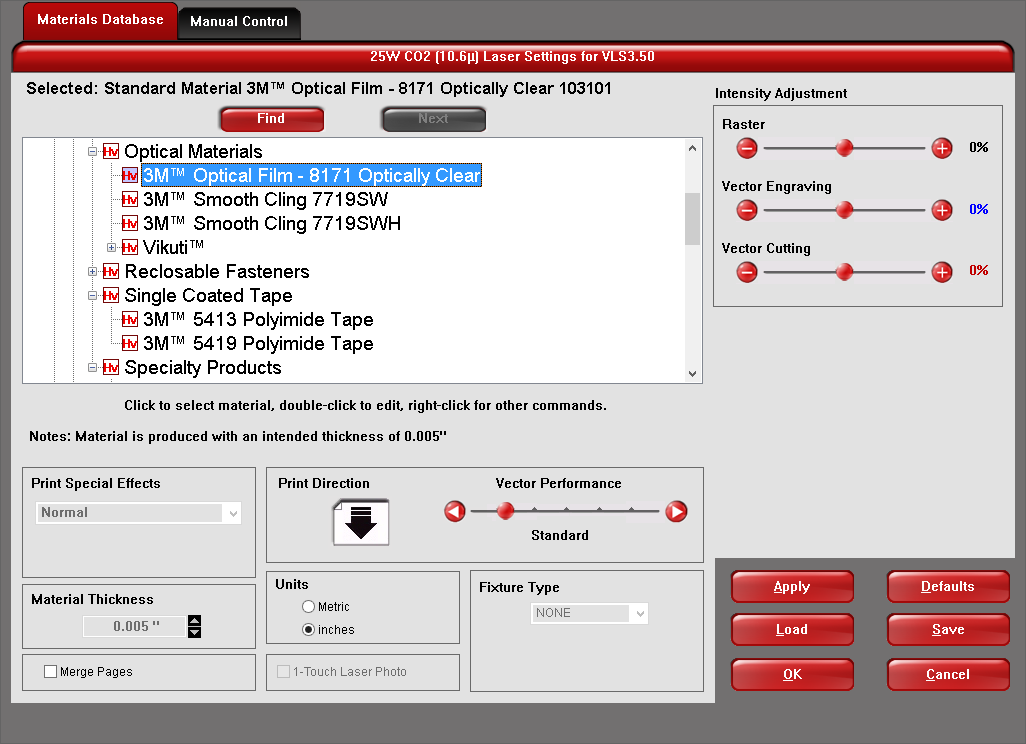
Intelligent Materials Database - Laser processing settings page
Duplicate
Any design file can easily be duplicated to fill the entire laser processing field (as shown in the images below). The user simply uploads the graphic and then selects the Duplicate feature. The user can either choose to create a certain number of duplicates or fill the entire processing field with as many duplicates that will fit. This is ideal for maximizing manufacturing efficiency.
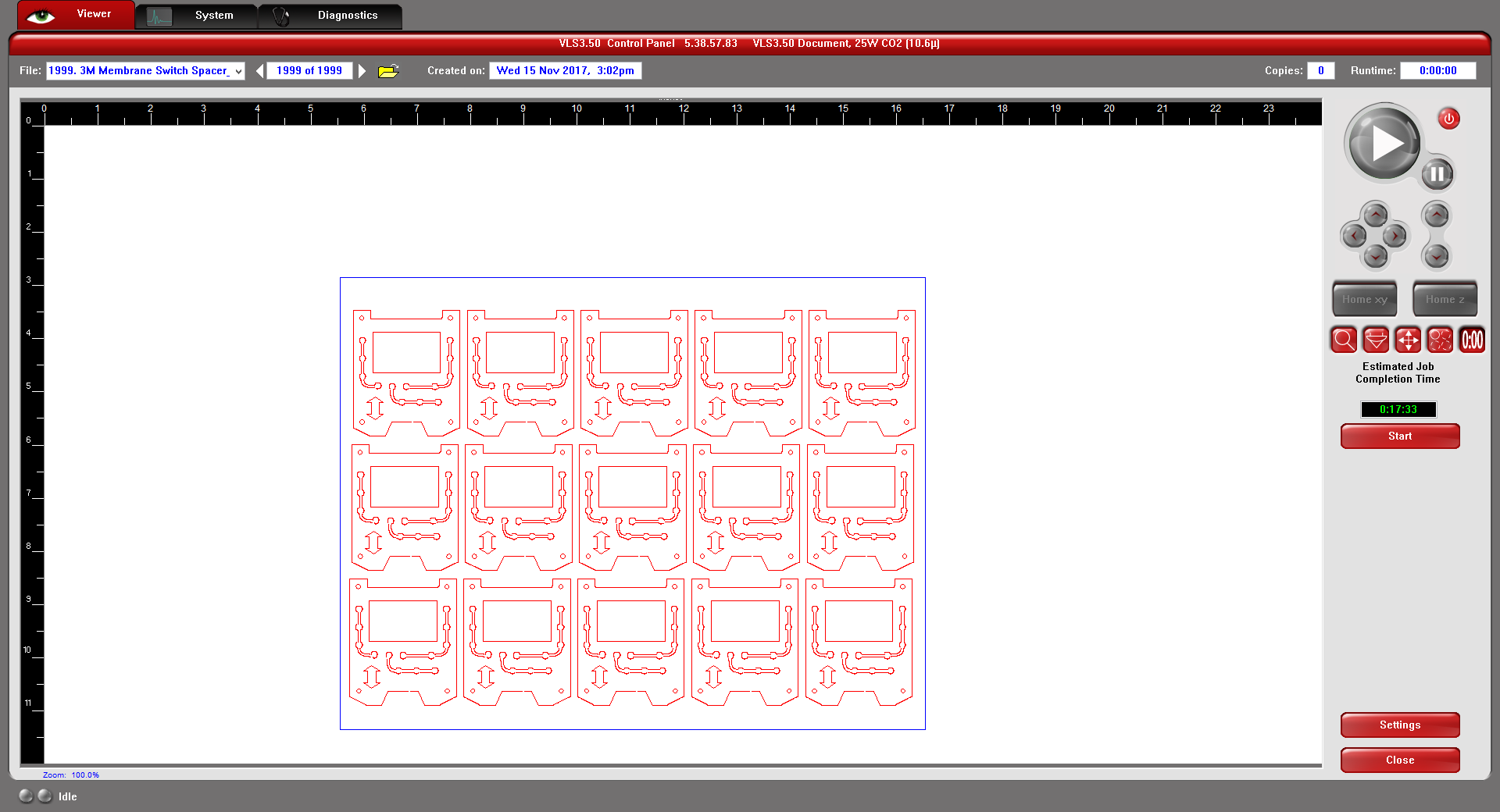
A gasket design is duplicated to fill the laser processing field with identical copies
Estimate
The Estimate feature allows users to compare processing throughputs with various laser system configurations. Estimates can be run with different platforms, different laser powers, and different throughput enhancing options (such as SuperSpeedTM) to determine what configuration will deliver the best throughput for a particular laser processing operation. This helps customers to optimize their return on investment (ROI).
Storage and Organization
All laser processing settings needed to execute a particular laser process are stored and organized so that they can be recalled easily for future use. The user interface can store 2,000 different files. Files can also be exported in a proprietary EMF format for use on other ULS laser cutting, engraving, and marking machines.
Laser Material Processing Flexibility
The Manual Controls feature allows users to enter laser settings for specific materials and applications. Every laser processing parameter can be controlled individually using the manual controls, providing unlimited processing flexibility.
Laser Material Processing Quality
The Camera Registration option, enabled by the user interfaces, automates the alignment of vector paths and raster strokes with the material for the purpose of tightening process control. It automatically aligns design files with pre-printed graphic designs on the material to compensate for misalignment or stretching of the material. This ensures high laser processing accuracy.
DISCOVER


